For union apprenticeship programs

The apprentice logbook that proves the hours.

BeamBook replaces the paper work report and the emailed pay-stub photo. Apprentices log each day from their phone with job photos. Every pay stub is read automatically and checked against the hours. Staff approve the month in a tap.

Already using BeamBook? Sign in to Local 10

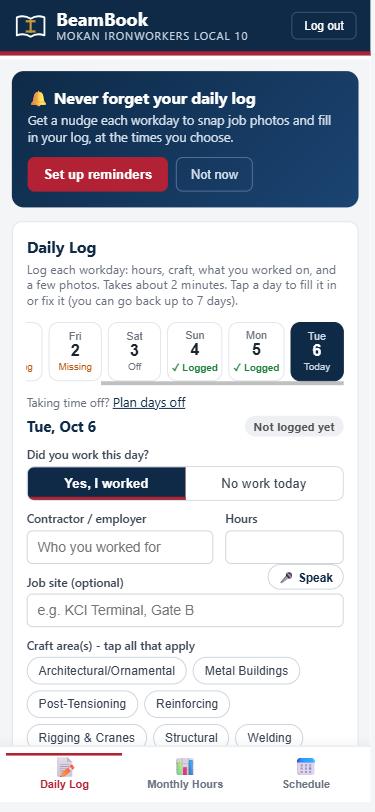
The Daily Log screen: a week strip showing logged days, and a form for contractor, hours and craft area
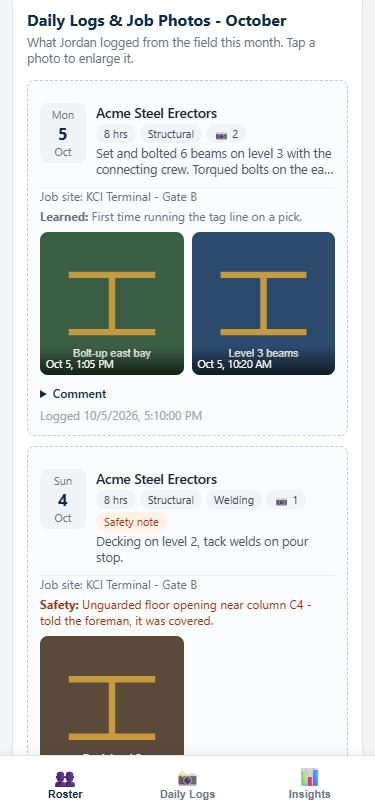
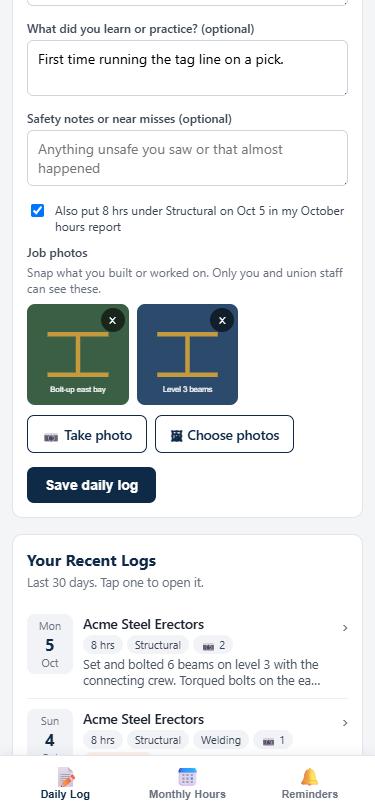
Job photos attached to a daily log
Built on your real work report Architectural / OrnamentalMetal BuildingsPost-TensioningReinforcingRigging & CranesStructuralWeldingClassroom
Why switch

The monthly report is the last thing anyone remembers.

Apprentices fill in 31 days of hours from memory, snap a stub on the 15th, and staff key it in by hand. Hours go missing, raises get delayed, and nobody can prove what happened on the job.

Today

  • Paper form plus a separate online upload
  • Hours reconstructed weeks later
  • Staff compare every pay stub by eye
  • No record of what the apprentice actually did
  • Reminders are phone calls and texts from the office

With BeamBook

  • One app, installed to the home screen in a minute
  • A two-minute daily log, with photos, while it is fresh
  • AI reads each stub and flags a mismatch for staff
  • A photo record of every job and every craft area
  • Automatic reminders at the times each apprentice picks
How it works

Log the day. Check the stub. Approve the month.

1

Log the day

At the end of a shift the apprentice taps in hours, craft area and contractor, adds a line about the work, and snaps a couple of photos. Hours flow into the monthly report automatically.

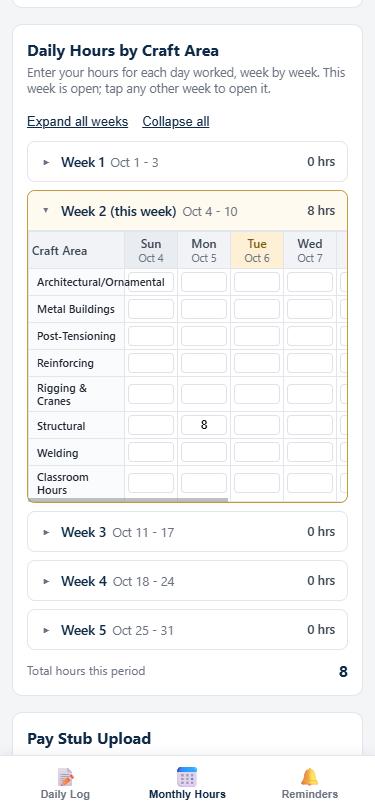
Monthly hours grouped into collapsible weeks
2

Check the stub

They photograph the pay stub. BeamBook reads the employer, pay period and hours, and compares them with what was logged. iPhone photos convert automatically.

EMPLOYERAcme Steel Erectors
PAY PERIOD10/01 - 10/14
STUB HOURS80.0
LOGGED HOURS80.0
RESULTMatches
STUB HOURS72.0
LOGGED HOURS88.0
RESULTCheck with apprentice
3

Approve the month

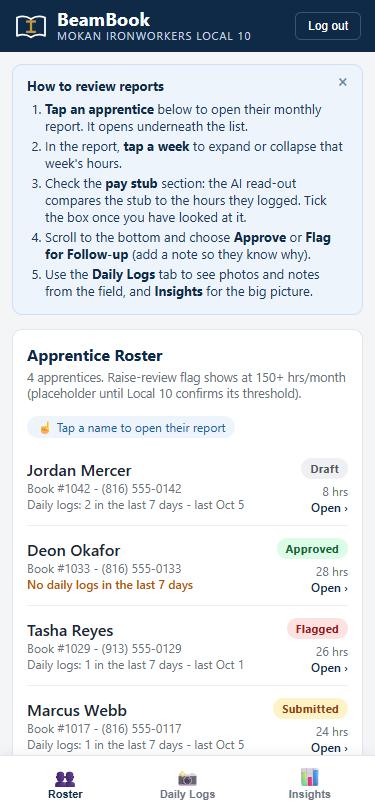
Staff open the roster, see who submitted and who has not logged lately, review the stub check and the photos, and approve or flag with a note.

The staff roster with report status and recent logging activity
For apprentices

Built for a phone in a work glove.

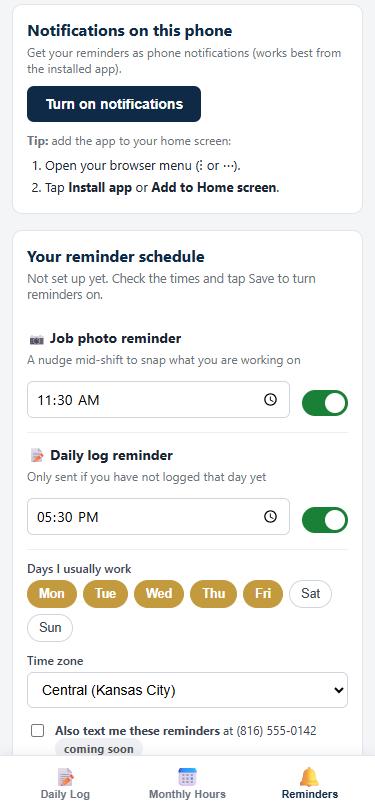
  • Reminders they set themselvesA mid-shift nudge to take photos and an end-of-day nudge to log, only on their workdays, skipped once they have logged.
  • Big targets, few wordsTap the day, tap the craft, type a line. The current week opens on its own.
  • Their record follows themEvery day, photo and hour toward journeyman, in one place they can look back on.
Reminder settings with photo and daily log times
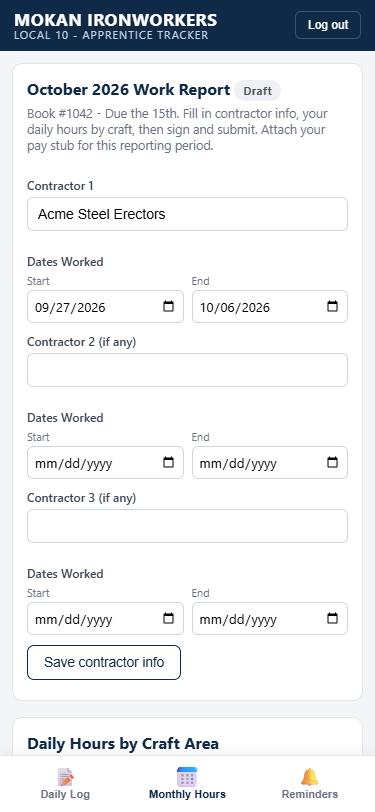
Contractor name with start and end date pickers
A staff view of an apprentice's daily logs with photos and a safety note
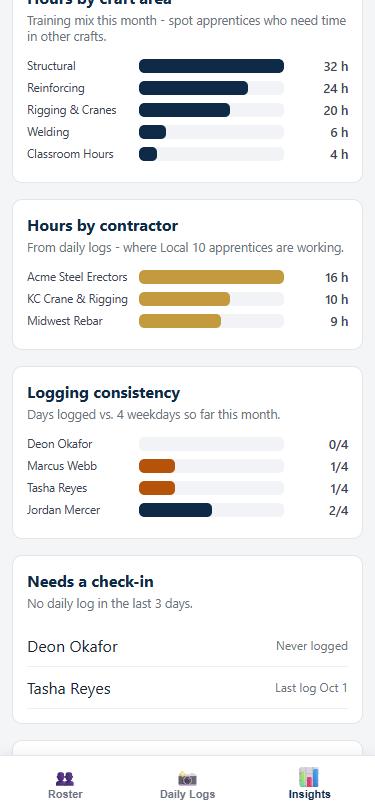
Insights: hours by craft area and by contractor, logging consistency
For union staff

See the whole program at a glance.

  • Hours by craft areaSpot the apprentice who has only welded this year before it becomes a training gap.
  • Where your members are workingHours by contractor, straight from the daily logs.
  • Safety notes from the fieldNear misses surface the day they happen, filtered into one list.
  • Who needs a check-inAnyone who has not logged in three days, before a month of hours goes unrecorded.
Security

Your members' records stay yours.

Pay stubs, phone numbers and job photos are sensitive. BeamBook is built so that each person sees only what they should, and the union can take its data with it at any time.

Your own database

Each union runs on its own private database. Your records are never mixed with another organization's.

Locked down by role

Accounts are invite-only. Apprentices see only their own records; staff need two-step sign-in and can be limited to one location, all enforced by the database itself.

Encrypted everywhere

Encrypted in transit and at rest on SOC 2 audited infrastructure. Photos and stubs are private files, opened with short-lived links.

Tamper-evident

Submitted reports lock. Approvals, staff comments and stub checks record who did it and when.

Daily backups

Automatic daily backups of every record, so a bad day never costs you a month of work.

No selling, no training

Your data is never sold or shared, and is not used to train AI models. Export everything or have it deleted when you leave.
Two ways to get it

Buy it, or partner with us.

What you are looking at is the custom build we made for MOKAN Ironworkers Local 10. Owning an app means running an app: hosting, updates, security and support. Most locals want the benefits without becoming a software company, which is what the founding partnership is for.

Buy and own the app

$18,000 one-time

The app becomes your local's property. We host it for you for $799 a year, with daily backups and support included, or you can run it on your own servers.

  • You own the app and every record in it
  • Your local's name and logo throughout
  • You decide who builds on it next, and you can license it to other locals yourself
Talk about buying
Recommended

Become a founding partner

Partner fee set together

We build, host and run BeamBook. Your local gets all of it, plus a stake in where it goes.

  • Monthly service fee waived for your local during the founding years
  • A share of what BeamBook earns from other locals donated back to your union, as the law allows
  • Hosting, security, backups, support and every new feature included
  • A seat at the table on what gets built next
  • Your data stays yours: export it anytime, deleted if you leave
Talk about partnering

The revenue share is set in a written agreement reviewed by both sides' counsel. Text-message reminders, if added, are billed at carrier cost.

See it on your own phone.

We will set up a demo with your local's name on it and walk your training director through a real month: a daily log, a stub check and an approval. It takes fifteen minutes.

Email Kevin Starks
kevin@contractorenvy.com